
TLDR
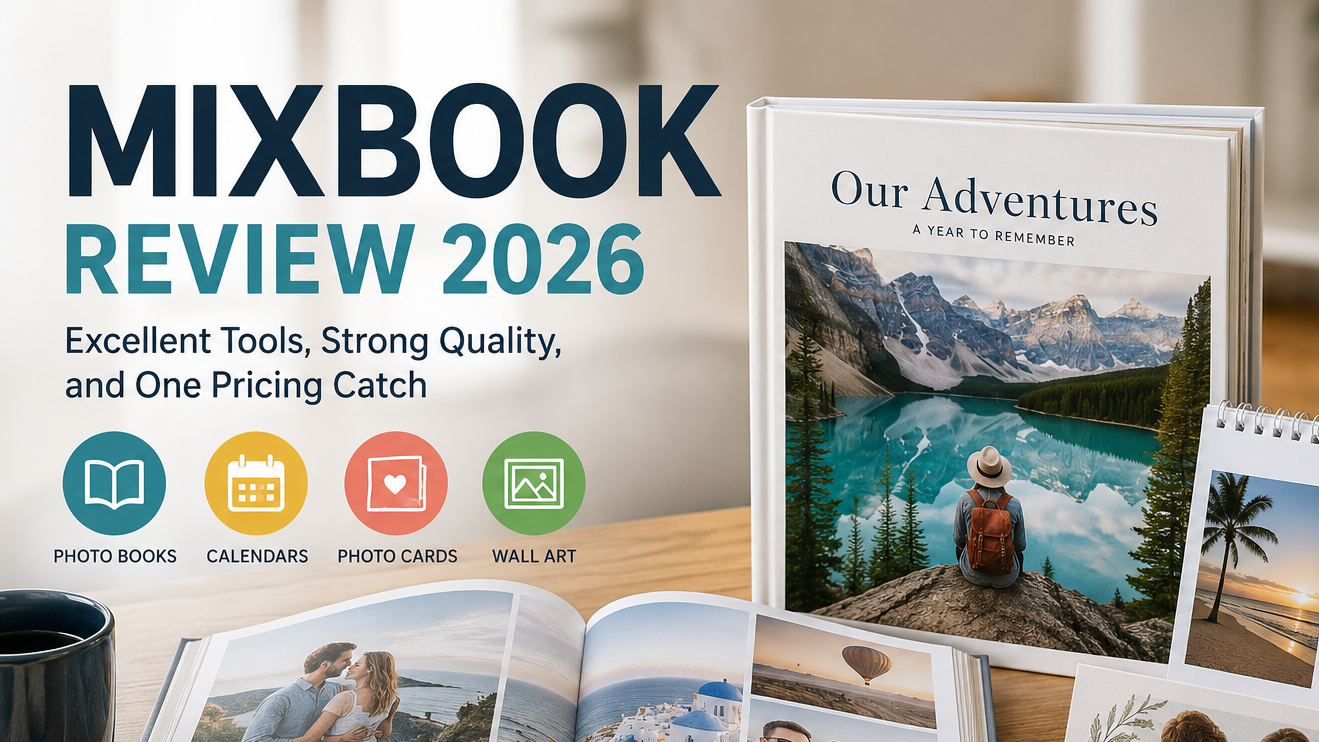
Mixbook is one of the best all-around personalized photo services, especially for photo books, calendars, and photo cards. Its biggest advantage is Mixbook Studio, which combines easy templates, substantial customization, collaboration tools, and increasingly useful AI features.
The finished products generally receive strong marks for color, clarity, and materials. Mixbook is not the cheapest service at list price, however, and buyers should almost always look for a promotion before ordering. Printique remains the better choice for photographers chasing the highest possible print quality, while VistaPrint or Snapfish may be cheaper for basic projects.
Overall Rating: 4.4 out of 5
Best For: Photo books, family albums, travel books, collaborative projects, calendars, and personalized photo cards
Skip It If: You need professional color accuracy, the lowest possible price, or a fully featured Android app
How We Evaluated Mixbook
This Mixbook review is based on current product and pricing research, an evaluation of Mixbook’s design tools and policies, recent independent product testing, and current customer feedback.
BigPrintWorld has not treated this as a fresh hands-on test order. Where physical quality is discussed, we have considered current product specifications alongside recent testing from established review publications and broader customer reports.
| Category | Score |
|---|---|
| Print Quality | 4.4/5 |
| Materials and Finishes | 4.5/5 |
| Design Tools and Ordering | 4.8/5 |
| Price and Value | 4.0/5 |
| Shipping and Fulfillment | 4.0/5 |
| Customer Support and Policies | 4.3/5 |
| Overall | 4.4/5 |
What Is Mixbook?
Mixbook is an online personalized printing company best known for its photo books. It also sells photo calendars, holiday cards, wedding stationery, canvas prints, metal prints, acrylic prints, posters, yearbooks, and other personalized photo products.
Photo books remain the center of the business, and that is where Mixbook makes its strongest case. The company offers everything from inexpensive softcover books to large layflat books and premium albums intended for weddings, anniversaries, family histories, and coffee tables that actually have room for coffee-table books.
Mixbook sits between the mass-market convenience brands and the premium photo labs.
It gives shoppers more creative control than many basic photo-book services, but it remains much easier to use than professional-oriented platforms. The result is a service that works particularly well for normal buyers who care about quality but do not want to learn publishing software merely to document a family vacation.
Mixbook Products
Mixbook currently offers four main product categories:
- Photo books and albums
- Photo calendars
- Custom cards and stationery
- Home décor and wall art
Its photo-book selection includes softcover, hardcover, layflat, and premium album formats. Books are available in square, portrait, and landscape configurations, with sizes ranging from compact 6-by-6-inch books to large 14-by-11-inch hardcovers.
Mixbook also offers wedding photo books, family-history books, cookbooks, school yearbooks, travel books, baby books, remembrance books, and year-in-review designs.
The broader catalog includes:
- Wall and desk calendars
- Holiday and Christmas cards
- Wedding invitations
- Save-the-date cards
- Birth announcements
- Graduation cards
- Thank-you cards
- Canvas prints
- Acrylic prints and blocks
- Metal prints
- Framed and unframed posters
This is useful because customers can create several matching products without rebuilding everything through a completely different system.
Mixbook Studio Is the Main Reason to Choose Mixbook
Mixbook Studio is the company’s strongest feature.
Some photo-book editors give you two choices: accept the template exactly as presented or spend an evening fighting boxes that seem personally offended by your mouse. Mixbook offers a better middle ground.
You can begin with one of hundreds of themes or start from a blank project. From there, you can change layouts, move image frames, add text, alter backgrounds, apply borders, insert stickers, create two-page spreads, and adjust colors.
The editor offers enough control for creative users without making beginners feel as though they have accidentally opened professional layout software.
Useful tools include:
- Drag-and-drop photo placement
- Recommended page layouts
- Automatic photo organization
- Custom text and captions
- Thousands of decorative stickers
- Custom sticker uploads
- Photo cropping and rotation
- Borders and image shapes
- Black-and-white and sepia filters
- Blank-page and low-resolution warnings
- Automatic project saving
- Theme switching without starting over
The photo sorting tools are also practical. Images can be organized by date taken, upload date, or filename. Customers can hide photos that have already been used, reducing the odds of placing the same smiling child on five consecutive pages.
Story Mode and AI Tools
Mixbook has expanded its AI-assisted tools considerably.
Auto-Create can organize uploaded photos and generate a first draft. Recommended Layouts adjusts page designs around the images selected, while Smart Captions suggests text based on photo content.
Story Mode goes further. The tool asks the customer about the project, style, tone, and desired amount of text. It then organizes the uploaded photographs, creates layouts, adds optional captions, and produces three book versions.
The result can be ordered as generated or edited normally in Mixbook Studio.
This is a useful application of AI because it handles the tedious beginning of the project without locking the customer into the result. You still control the final design. The robot gets the first shift, but it does not get creative custody of the family archive.
Story Mode is available through the website and Mixbook’s iOS app. As of this review, Mixbook does not yet offer the same native app experience for Android users, although photos can still be uploaded from a phone through the browser or with a project-specific QR code.
Collaboration Is a Genuine Advantage
Mixbook is particularly good for projects involving several people.
Project owners can invite family members, friends, classmates, or coworkers to:
- View the project
- Upload photographs
- Edit the design
- Order a copy
This makes Mixbook a strong option for family histories, memorial books, school projects, team yearbooks, retirement gifts, and group travel albums.
Instead of asking 14 relatives to email photographs with subject lines such as “IMG_4827 FINAL REAL ONE,” you can give them controlled access to the project.
Finished projects can also be shared through a digital preview. Other people can order copies or create their own version without altering the original.
Mixbook Photo Book Quality
Mixbook’s photo books generally produce vivid, sharp, consumer-friendly results.
Recent independent testing has praised the service for clear image reproduction, rich colors, substantial paper, and strong overall construction. Tom’s Guide placed Mixbook at the top of its 2026 photo-book comparison, highlighting both the quality of the finished book and the usability of the software.
Colors tend to look bright and lively. This works especially well for family photographs, travel scenes, landscapes, parties, pets, and other projects where visual impact matters.
There are some limitations.
Independent tests have found that strong pink and red tones can appear oversaturated. TechRadar also reported occasional manufacturing marks and indentations on its test book. Its reviewer found the prints crisp and vivid overall, but did not consider Mixbook the best option for color-critical professional portfolios.
That distinction is important.
Mixbook is capable of producing a very attractive family album or wedding book. It is not necessarily the service we would choose to reproduce fine-art photography where exact color matching, neutral skin tones, and spotless production matter more than editor convenience.
For most consumer projects, however, the quality is comfortably above average.
Paper, Covers, and Binding
Mixbook offers a useful progression from affordable to premium products.
Softcover Books
Softcover books are the least expensive option. They use a glossy cover and Everyday Semi-Gloss pages and can contain up to roughly 400 pages.
These are appropriate for:
- Children’s books
- Casual trip albums
- School projects
- Event recaps
- Books ordered in larger quantities
They are flexible and practical, but they do not have the presentation or longevity of a hardcover or layflat book.
Hardcover Books
Hardcover books are the best choice for most customers.
Depending on the size and configuration, customers can choose glossy or matte covers and semi-gloss, matte, or lustre paper. Hardcover books offer better protection and feel more appropriate for gifts, family archives, and books that will be handled regularly.
Layflat Books
Layflat books are designed to open with minimal interruption across a two-page spread.
They are particularly useful for:
- Wedding albums
- Panoramic travel photographs
- Group photographs
- Portfolio-style layouts
- Large landscape images
The layflat format is much more expensive, but it avoids losing important content deep in the center gutter.
Premium Albums
Mixbook’s Album format is its luxury tier. It uses thick pages, seamless spreads, and includes a keepsake box.
This is the appropriate option for a major wedding album or another project where presentation matters more than controlling the final price.
Mixbook Pricing
Mixbook’s pricing requires context.
Current published list prices begin at approximately:
| Product | Starting List Price |
|---|---|
| 6-by-6-inch softcover photo book | $14.99 |
| 8-by-6-inch hardcover photo book | $29.99 |
| 8.5-by-8.5-inch layflat photo book | $74.99 |
| Photo calendar | $34.99 |
| Custom cards | $1.36 each |
| Home décor | $7.99 |
Those starting prices do not tell the whole story.
Larger books, premium paper, additional pages, layflat binding, and upgraded covers can increase the price quickly. A 12-by-12-inch hardcover book currently carries a list price of roughly $80 to $95 before extra pages. A 12-by-12-inch layflat book can begin above $140.
Mixbook also runs promotions constantly. Discounts of 40%, 50%, or more are common enough that the list price often feels less like a normal selling price and more like the number used to make the coupon look heroic.
Our advice is simple: do not judge Mixbook solely by the list price, and do not place a large order without checking the active promotion.
The exception is a deadline emergency. If you need a book immediately, waiting three weeks for a slightly better coupon is a questionable form of financial discipline.
Is Mixbook Good Value?
Mixbook offers good value when purchased during a normal promotion.
It is usually not the cheapest photo-book company, but it provides more customization and a smoother editor than many budget alternatives. The finished books also tend to look and feel better than the cheapest mass-market products.
The value proposition is strongest for customers who care about all three of these things:
- A good-looking finished product
- Substantial creative control
- An editor that does not make them regret having photographs
Printique has a higher premium ceiling. VistaPrint and Snapfish may cost less during certain promotions. Chatbooks can be faster for extremely simple books.
But Mixbook offers one of the strongest overall combinations.
Calendars, Cards, and Other Products
Mixbook’s strengths are not limited to photo books.
Tom’s Guide ranked Mixbook as its top photo-calendar service in 2026, praising the design experience, color reproduction, customization, and construction. WIRED also selected Mixbook as its overall holiday-photo-card winner in its 2025 testing, pointing to the combination of design flexibility, photo quality, and value.
That consistency matters in a company-level Mixbook review.
Many printing companies have one excellent product and several catalog fillers. Mixbook appears to carry its editor and photo-reproduction strengths across several important categories.
Its cards are available with multiple shapes, paper choices, flat or folded formats, and real-foil options on selected designs. Calendar projects use the same familiar editing environment, which reduces the learning curve for repeat customers.
The home décor catalog is broader than it once was, although Mixbook is still better known for books, calendars, and cards than for gallery-grade wall art.
Shipping and Turnaround
Mixbook says photo books, cards, and calendars generally take one to two business days to process and print.
Customers can then select from economy, standard, expedited, and rush shipping. The final delivery estimate depends on the product, destination, size, and shipping method.
Shipping is not especially cheap at list price. For example, domestic shipping on a standard photo book can add roughly $9 to $16 before expedited options are considered. Larger books and layflat products cost more to ship.
Mixbook frequently includes free-shipping thresholds or shipping promotions, so the same advice applies here as with product pricing: calculate the complete cart, not merely the price shown on the first product page.
Customer feedback about delivery is mostly positive, but not flawless. Complaints include damaged corners, delayed gifts, manufacturing defects, and occasional incorrect orders.
More seriously, a small cluster of recent customer reports described books containing another family’s photographs. Those reports do not prove a widespread fulfillment problem, and they sit against tens of thousands of positive reviews, but the nature of the error makes them worth noting.
Customer Service and Guarantee
Mixbook advertises a 100% Happiness Guarantee and provides support through online chat and email. The company also says support is available around the clock.
At the time of this review, Mixbook held a Trustpilot score of 4.4 out of 5 from more than 43,000 reviews. The majority of reviews praised ease of use, print quality, customization, and repeat-order reliability.
Positive customer-service reports frequently mention:
- Replacement books
- Help meeting important deadlines
- Assistance with the editor
- Quick responses to damaged products
- Credits or reprints when an order is defective
Negative reviews include complaints about inconsistent photo quality, automated support interactions, slow resolution of urgent problems, shipping damage, and difficulty reaching a person by phone.
The guarantee is reassuring, but the public policy language is broad rather than highly specific. Customers with an issue should photograph the product and packaging immediately and contact support with the order number and a clear description of the defect.
Where Mixbook Falls Short
List Prices Are High
Mixbook’s regular prices can be difficult to justify, especially for large hardcovers and layflat books.
The frequent-discount model helps, but it also makes price comparison unnecessarily slippery. A shopper should not need to approach a family album with the tactical patience of a commodities trader.
Professional Color Accuracy Is Not Its Strength
Mixbook produces bright, attractive images, but some tests and customer reports have found oversaturated colors, especially reds and pinks.
Professional photographers and artists may prefer Printique, Nations Photo Lab, or another lab-oriented printer.
Premium Upgrades Add Up Quickly
A larger book with upgraded paper, additional pages, layflat binding, and rush delivery can become expensive surprisingly fast.
Always review the final specification and cart total before spending hours polishing the design.
The Android Experience Is Limited
Mixbook’s full mobile app is currently available for iOS. Android customers can use the browser and mobile upload tools, but the experience is not equivalent.
Fulfillment Is Not Perfect
Manufacturing marks, damaged books, binding issues, incorrect printing, and shipping problems appear in a minority of customer feedback.
This is not unusual for a company producing millions of personalized products, but it keeps Mixbook from earning an unqualified reliability score.
Mixbook Pros and Cons
Pros
- One of the easiest photo-book editors to use
- Extensive customization without professional software
- Strong photo-book print quality
- Hundreds of themes and layouts
- Useful AI-assisted creation tools
- Excellent collaboration and sharing features
- Softcover, hardcover, layflat, and premium album options
- Strong calendar and photo-card products
- Frequent discounts
- Up to roughly 400 pages on standard books
- Clear low-resolution and blank-page warnings
- Broad product catalog
- 100% Happiness Guarantee
Cons
- High list prices
- Additional pages and premium upgrades become expensive
- Shipping can noticeably increase the total
- Colors may be oversaturated in some images
- Not the best service for professional color-critical work
- Some reports of manufacturing marks and fulfillment errors
- No equivalent Android app yet
- Heavy reliance on rotating coupon promotions
- Support is primarily chat and email rather than phone
Who Should Use Mixbook?
Mixbook is best for:
- Families creating annual photo books
- Travelers making vacation albums
- Couples creating wedding books
- People working on a book with relatives or friends
- Beginners who want a guided starting point
- Creative users who still want substantial control
- Customers ordering matching books, cards, and calendars
- People who prefer browser-based tools
- Buyers willing to wait for a promotion
Mixbook is less suitable for:
- Professional photographers demanding exact color reproduction
- Buyers who want the cheapest possible basic book
- People who dislike coupon-driven pricing
- Android users who want a dedicated full-featured app
- Customers needing phone-based support
- Anyone ordering an important gift at the last possible moment
Mixbook vs Other Photo Services
Mixbook vs Shutterfly
Mixbook generally offers better creative control and a cleaner editing experience. Shutterfly has a wider gift catalog and frequently competes aggressively on promotions.
For photo books specifically, we prefer Mixbook.
Mixbook vs Printique
Printique has the edge in premium print quality, thick pages, and professional presentation. Mixbook is easier to use and generally more accessible to normal customers.
Choose Printique for a professional portfolio or luxury album. Choose Mixbook for the better all-around experience.
Mixbook vs VistaPrint
VistaPrint can be cheaper and is easy to use, but Mixbook provides deeper photo-book customization and more consistently premium book options.
Choose VistaPrint for budget value. Choose Mixbook for design flexibility and stronger photo-book specialization.
Mixbook vs Chatbooks
Chatbooks is faster and simpler, particularly for automated phone-based books and subscriptions. Mixbook offers far more creative control and higher-end formats.
Choose Chatbooks for convenience. Choose Mixbook when the finished design matters.
Final Verdict: Is Mixbook Worth It?
Yes. Mixbook is worth using, particularly for photo books, calendars, holiday cards, and collaborative projects.
It is not the absolute leader in every category. Printique can produce a more premium photo book. Budget services can beat Mixbook’s prices. A professional photographer may want tighter color control.
But Mixbook is one of the few services that performs well across nearly every part of the experience.
The editor is easy without being restrictive. The product range is broad without feeling random. Print quality is strong enough for important gifts and family keepsakes. The collaboration tools are genuinely useful. And the new AI features reduce setup time without taking away the ability to edit the result.
The main catch is price. Buy during a promotion, pay close attention to upgrades, and leave enough time to resolve a printing or delivery issue.
For most people creating a personalized photo book, Mixbook is our best all-around recommendation.
Final Rating: 4.4 out of 5
References and Citations
- Mixbook product catalog, photo-book formats, materials, sustainability claims, page limits, and product features.
- Mixbook’s current photo-book list prices, sizes, paper options, cover options, and additional-page pricing.
- Mixbook Studio, Auto-Create, Smart Captions, Story Mode, collaboration, editing tools, mobile availability, and image-quality warnings.
- Mixbook shipping methods, production estimates, domestic shipping prices, and delivery calculations.
- Mixbook’s Happiness Guarantee and customer-support information.
- Tom’s Guide 2025 Mixbook photo-book test and 2026 photo-book rankings.
- TechRadar’s standardized photo-book testing, including Mixbook’s editor, collaboration tools, color reproduction, and manufacturing concerns.
- Tom’s Guide 2026 photo-calendar testing.
- WIRED’s 2025 holiday-photo-card testing.
- Current Mixbook customer-review score, review distribution, recurring praise, complaints, and recent fulfillment reports.
SEO Pack
Title Options
Mixbook Review 2026: Quality, Pricing, and Our Verdict
Mixbook Review: Is It the Best Photo Book Service?
Mixbook Photo Books Review: Great Tools, Strong Quality
Focus Keyphrase
Mixbook review
SEO Title
Mixbook Review 2026: Quality, Pricing, and Verdict
Meta Description
Mixbook review covering photo book quality, design tools, pricing, shipping, customer service, and whether Mixbook is worth using in 2026.
Slug
mixbook-review
Excerpt
Our Mixbook review examines photo-book quality, Mixbook Studio, current pricing, shipping, customer service, and how it compares with other photo services.
SEO Tags
Mixbook review, photo books, custom albums, photo printing, design tools, photo gifts, printing services